Page: 1/1
Area select karke Front / Back set karo1. File Selection
2. Selection Mode
Free Select se apni marzi ka box banao. Fix Ratio PVC card size ke liye.
3. Action Panel
4. Export & Copy
FRONT
BACK
Image Copied!
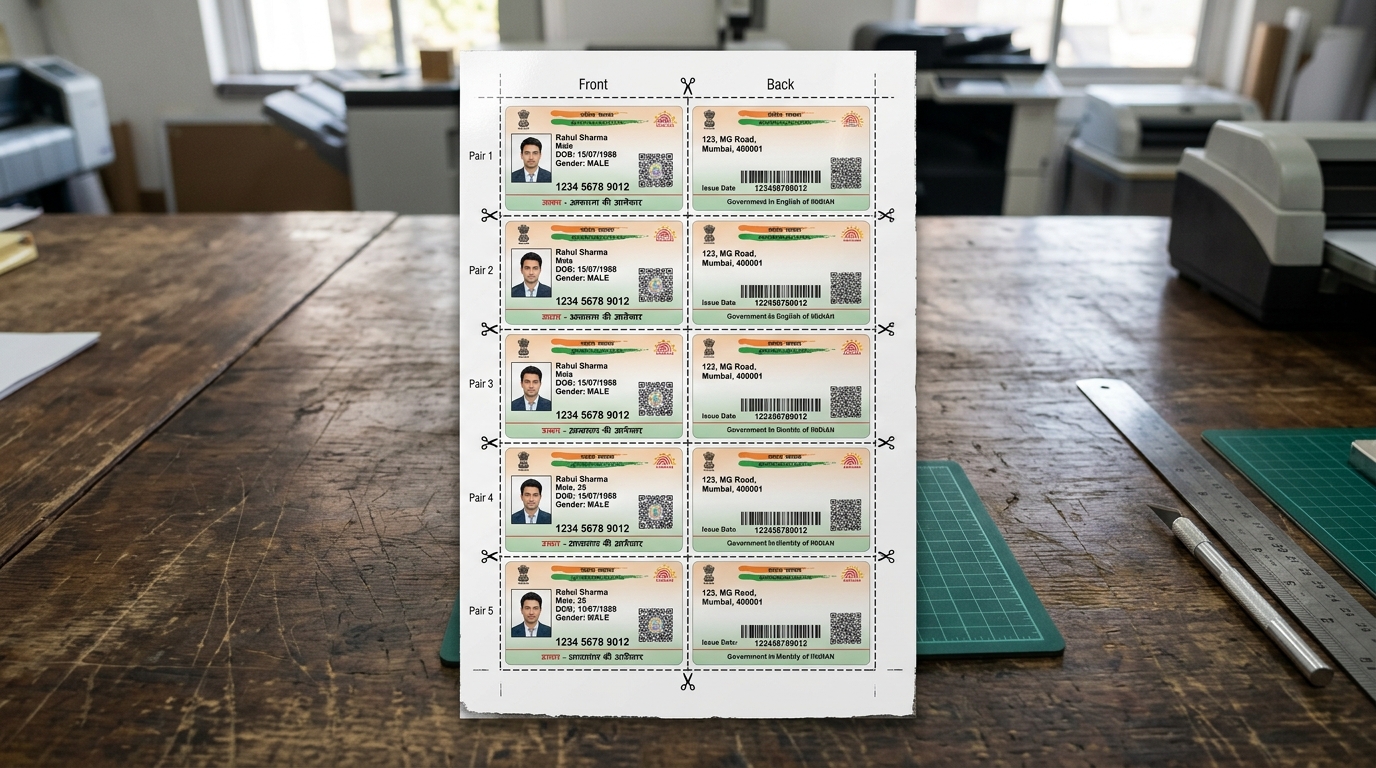
Crop front and back sections from downloaded e-Aadhaar PDFs, Voter ID cards, and Jan Aadhaar documents. Automatically align and fit both sides onto standard A4 paper with exact CR80 credit-card dimensions (85.6mm × 54mm) for flawless PVC card printing and lamination.
Locks aspect ratio to the universal ISO/IEC 7810 ID-1 standard. Ensures printed cards fit into standard wallet pockets, badge holders, and laminating pouches.
Isolate the front and back card areas independently. Enhance contrast and brightness with a single slider before printing on photo paper or thermal PVC trays.
Click 'Select Photo or PDF' to load your Aadhaar, Jan Aadhaar, or Voter ID document into the viewer.
Choose 'Fix Ratio' for standard PVC card proportions or 'Free Select' for custom rectangular cropping.
Drag the box over the front side and tap 'Set Front'. Repeat for the back side with 'Set Back'.
Click 'Save as PDF (Print)' to generate an A4 sheet, or save as JPG or copy directly to clipboard.
Universal card dimensions and layout specifications for Indian government identity cards.
| Card Type | Target Standard | Dimensions (mm) | Print Scaling | Supported Formats |
|---|---|---|---|---|
| Aadhaar Card (Standard) | UIDAI Official CR80 | 85.6 × 54.0 mm | 100% Exact 1:1 Scale | PDF (.pdf), JPG, PNG |
| Jan Aadhaar Card | Rajasthan Govt Standard | 85.6 × 54.0 mm | Centered Dual-Card Fit | Scanned PDF, JPEG |
| Voter ID (EPIC) | Election Commission of India | 85.6 × 54.0 mm | High Contrast Crisp Output | e-EPIC PDF, Image |
| A4 Print Sheet Layout | ISO 216 International A4 | 210 × 297 mm (300 DPI) | Top/Bottom Side-by-Side | Print-Ready PDF / JPG |
| Direct Clipboard Copy | System Clipboard API | High-Resolution Canvas Blob | Instant Paste to Word/Photoshop | PNG Lossless Blob |
Select your PDF or photo, draw a box around the front side and click 'Set Front', then draw a box around the back side and click 'Set Back'. Finally, click 'Save as PDF (Print)' to generate a perfectly aligned A4 print sheet.
Free Select allows you to draw any custom rectangle for non-standard cards or certificates. Fix Ratio locks the selection box to the standard CR80 PVC card aspect ratio (85.6mm x 54mm) for official Aadhaar, PAN, and Voter ID cards.
Yes. Click 'Copy Front' or 'Copy Back' to copy the cropped image directly to your system clipboard, allowing you to paste it into Microsoft Word, Photoshop, or messaging apps instantly.
Yes, 100%. All PDF rendering, cropping, brightness adjustments, and sheet layouts are generated client-side in your browser memory. No sensitive personal data or ID scans are sent to any remote server.