Drag & Drop Scanned Image or PDF Here
Click anywhere to browse or drop file to crop Photo, Sign & Thumb
Choose File / PDFClick anywhere to browse or drop file to crop Photo, Sign & Thumb
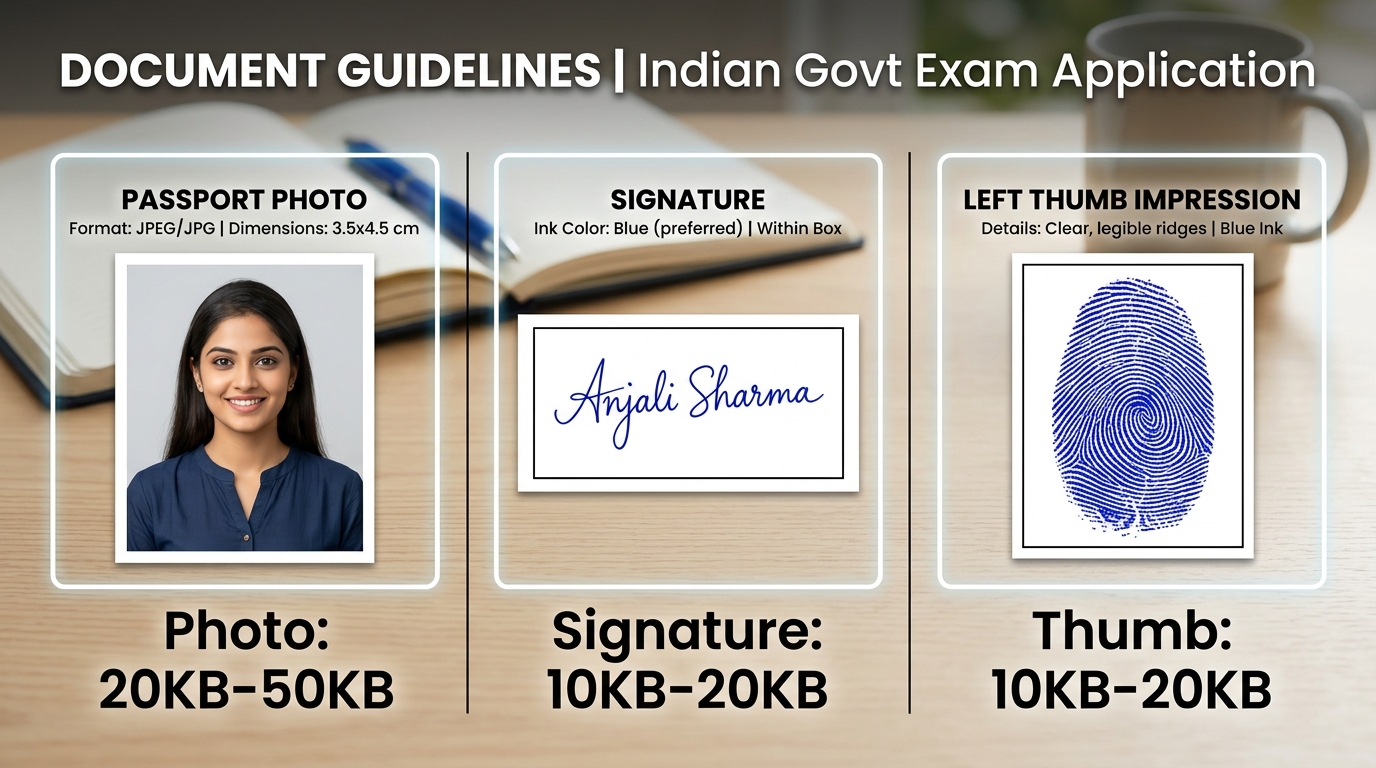
Choose File / PDFIncorrect aspect ratio and blurry gray backgrounds are the leading causes of photo and signature rejections on recruitment portals like SSC CGL/CHSL/GD, UPSC, State Police, REET, and IBPS. Our smart tool ensures 1-click 20KB/50KB compression and crystal-clear clarity.
Drag and drop your scanned A4 page, JPG, PNG, or PDF file directly from your computer or smartphone.
Choose Photo, Signature, or Thumb mode, then accurately crop the target area using the free-hand bounding box or lasso tool.
Navigate to Step 4 (Brightness & Contrast) and increase contrast to 140%+ to render the signature background pure white and ink strokes crisp.
Click quick presets for 10 KB, 20 KB, or 50 KB and download high-resolution, unblurred JPG files ready for upload.
| Recruitment Commission / Exam | Photo Dimensions | Photo File Size | Signature File Size | Specific Guidelines |
|---|---|---|---|---|
| SSC (CGL, CHSL, GD, MTS) | 3.5 × 4.5 cm (350×450 px) | 20 KB – 50 KB | 10 KB – 20 KB | White background, spectacles/caps prohibited, both ears visible |
| UPSC (Civil Services, NDA, CDS) | 350 × 350 px (Min) | 20 KB – 300 KB | 20 KB – 300 KB | Candidate name and date imprinted on photo required |
| Railway RRB (ALP, NTPC, Group D) | 35 × 45 mm | 30 KB – 70 KB | 30 KB – 70 KB | Plain white or light background, color photograph |
| Rajasthan Police & REET | 3.5 × 4.5 cm | 50 KB – 100 KB | 20 KB – 50 KB | Clear signature in dark black ink, clear facial features |
| IBPS / SBI Banking Exams | 200 × 230 px | 20 KB – 50 KB | 10 KB – 20 KB | Left Thumb Impression (LTI) 20KB–50KB; ALL CAPS signatures rejected |
After cropping your signature, open Step 4 (Brightness & Contrast). Set Contrast between 140% and 180% and Brightness between 110% and 130%, then click 'Apply Filter'. This eliminates dirty grayish or bluish paper shadows, transforming the background into pure white while making blue or black ink strokes bold and sharp.
No. eMitraTool uses advanced bicubic resampling and JPEG comment padding algorithms. It preserves essential facial pixels (eyes, ears, nose) in crisp detail while optimizing metadata, ensuring your 20KB or 50KB photo passes portal validation without rejection.
Yes, absolutely. Upload your full scanned A4 document or PDF page. Select 'Photo' mode to crop and download your photo in 20KB-50KB. Then select 'Signature' mode on the same document to crop and download the signature in 10KB-20KB.
Always take thumb impressions using clear blue or black stamp ink on white paper. When cropping, frame only the fingerprint ridges without excess blank margins, and lock the output size between 10 KB and 20 KB.
eMitraTool operates on 100% client-side (Browser-Only) technology. None of your photos, signatures, or personal documents are ever uploaded to any server. All processing takes place entirely within your own device's browser memory.