Done
Back

PDF Brightness & Equalizer Studio

Kaagaz Scanner Presets • Shadow Removal • Multi-page PDF
emitratool.online

Select Document

Click or Drag & Drop PDF / Image

Marksheet, Aadhaar, Multi-page PDF • Ctrl+V

Scanner Presets

Magic Color

Manual Fine-Tuning

Brightness (रोशनी बढ़ाएं): +20%
Contrast (अक्षर डार्क करें): +35%
100%

No Document Loaded

Select a PDF or image on the left panel or press Ctrl+V to paste from clipboard.
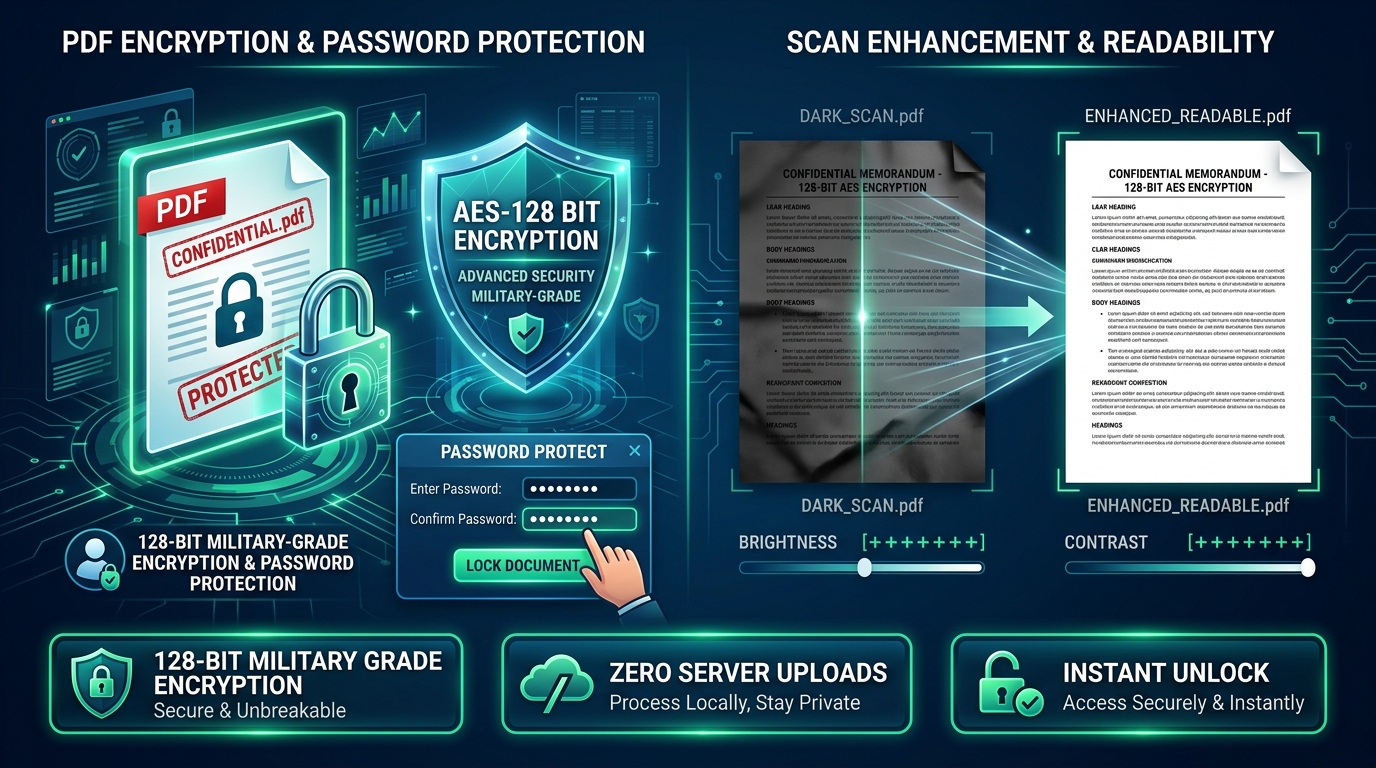
AI Document Lightener & Enhancer

Clear & Brighten Scanned Documents Online

Clean up muddy mobile camera photos, erase dark shadows, enhance contrast, and convert gray scans into crisp, official black-and-white printouts ready for government portals.

Instant GPU Processing 100% Client-Side Privacy
Before and After Document Brightness and Contrast Enhancement Preview
Realtime Canvas Preview: Adaptive shadow removal & high-contrast thresholding Crisp Output

Why Scans Get Rejected on Government Portals

Official recruitment and verification portals (such as UPSC, SSC, state service commissions, and e-Mitra kiosks) automatically flag or reject documents captured under poor lighting. Common issues include phone camera shadows, uneven gradients, gray backgrounds, and low contrast that make text illegible.

Adaptive Brightness & Exposure

Boosts exposure evenly across the whole page to turn dingy yellow/gray backgrounds pure white without washing out signatures or text stamps.

High-Definition Contrast & Sharpening

Darkens faded ink, dot-matrix printed text, and thin ballpen strokes, ensuring optical character recognition (OCR) readiness.

B&W Document Photocopy Mode

Applies intelligent binarization to produce super-clean, high-contrast monochrome documents that drastically reduce PDF file size.

Step-by-Step Guide

How to Clean & Brighten Any Scanned PDF in 4 Steps

No software installation required. Clean documents directly in your browser with real-time preview.

1

Upload Document

Drag and drop your PDF file or image into the upload box, or paste directly using Ctrl+V.

2

Adjust Brightness & Contrast

Use the intuitive sliders to increase brightness and adjust contrast until the dark background turns pure white and text appears crisp.

3

Apply Presets (Optional)

Click on quick presets like "Document Clean", "High Contrast", or "Black & White Photocopy" for instant one-click optimization.

4

Download Clean PDF

Export your enhanced document as a high-resolution PDF or crisp JPG image, ready for immediate printing or portal upload.

Scanner Filter Modes & Recommended Settings

Select the best processing mode depending on your document type and application requirements.

Preset / Filter Mode Recommended Use Case Brightness Adjustment Contrast Adjustment Resulting File Characteristics
Clean Document (Default) Marksheets, certificates, Aadhaar cards, mobile photos +20% to +35% +15% to +25% Pure white background, stamps & signatures preserved in full color
Black & White Photocopy Court affidavits, government orders, application forms +40% (Thresholded) +50% Sharp monochrome text, 80% smaller PDF file size, laser-printer ready
Faded Text Restoration Old receipts, thermal paper slips, faint carbon copies +10% +60% to +80% Boosts faint ink strokes and numbers for complete legibility
Negative / Invert Mode Dark background scans, inverted microfilms, blueprints Auto Inversion Normalized Inverts black backgrounds to white to prevent heavy ink consumption
Help & Support

Frequently Asked Questions

Common questions about document brightening and scanner shadow removal.

Will increasing brightness make text or signatures blurry?

No. The tool balances brightness with contrast amplification. As the background is lightened, ink density is preserved and sharpened so handwriting and official stamps remain completely clear.

Are my uploaded certificates and documents secure?

Yes, 100% secure. All image adjustments are rendered entirely inside your browser using HTML5 Canvas and WebAssembly. No files or images are ever uploaded to any remote server.

Can I brighten multi-page PDF documents?

Yes. You can navigate through each page of your multi-page PDF, adjust settings individually or apply the same lighting profile across all pages, and download the combined enhanced PDF.

Does document brightening reduce or increase the PDF file size?

In most cases, turning a noisy, shadowy background into uniform clean white or using Black & White mode dramatically improves image compression, leading to significantly smaller PDF file sizes.