💡 Tip: Photo & Text ko seedha mouse se drag karke set kar sakte hain (Always Auto-Fit).
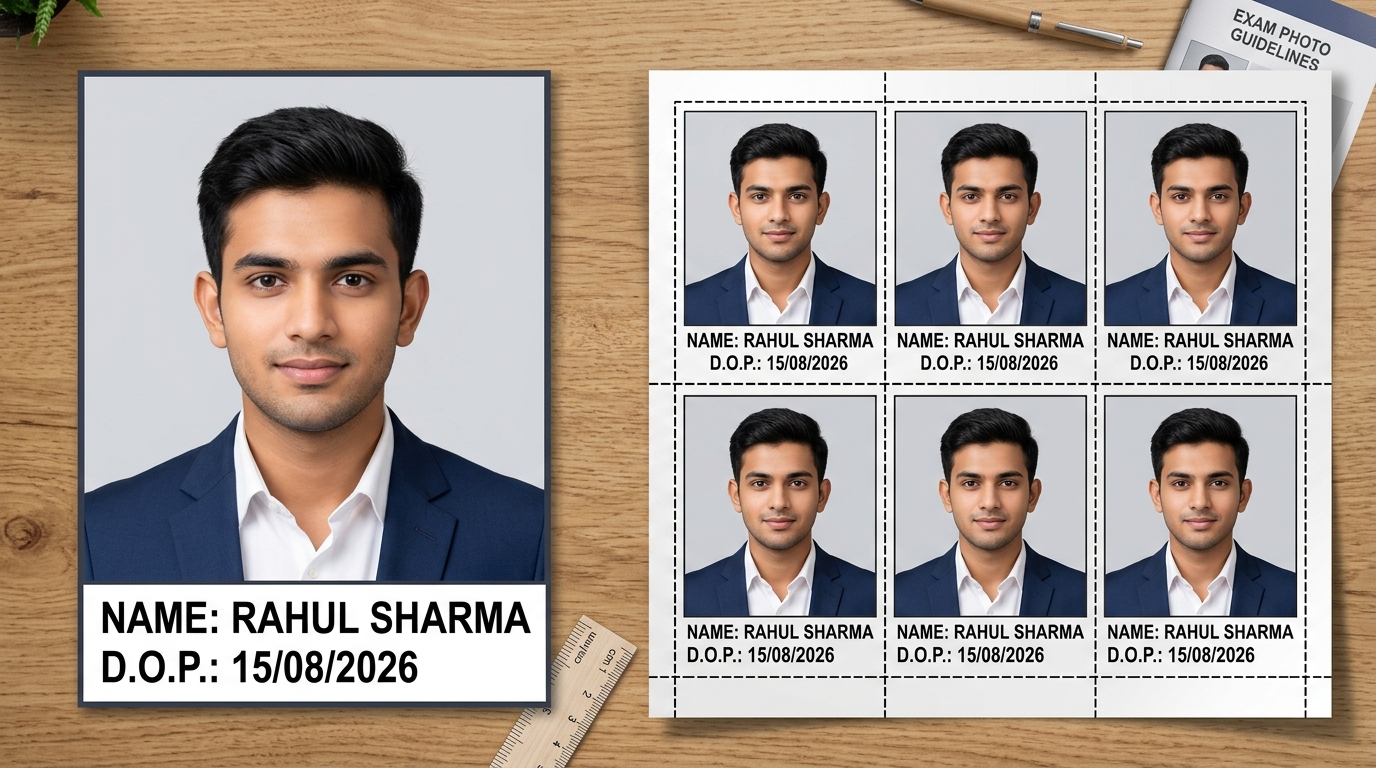
Recruitment boards such as SSC (CGL/CHSL/MTS/GD), State Police, and REET reject candidate forms without proper Name and Date of Photo (D.O.P.) imprinted on a white bottom strip. See below how our tool generates individual photos and 4×6 inch 6-photo print sheets.
Upload your standard passport photo or mobile selfie and adjust the crop frame to standard 3.5×4.5 cm proportions.
Enter Candidate Full Name and Date of Photo (D.O.P.). The white bottom strip text updates instantly in real time.
Switch background to pure white or light sky blue with one click to comply with strict recruitment board norms.
Select quick 20 KB, 35 KB, or 50 KB presets, or generate a 4×6 inch 6-photo print sheet for physical passport prints.
| Exam / Commission | DOPO Validity Window | Accepted Format & Size | Bottom White Strip Rules |
|---|---|---|---|
| SSC (CGL, CHSL, MTS, GD Constable) | Not older than 3 months | 20 KB – 50 KB JPG | Mandatory candidate name and D.O.P. in crisp black capital letters on white strip |
| Rajasthan Police Constable | Taken after official notification date | 50 KB – 100 KB JPG | Applications rejected immediately if photo date is missing or illegible |
| REET & State Teacher Eligibility | Within 6 months of application date | 20 KB – 50 KB JPG | Light background, spectacles/caps disallowed, both ears 100% visible |
| Railway RRB Recruitment | Recent studio capture | 30 KB – 70 KB JPG | Full candidate name and clear date of photo capture |
DOPO stands for 'Date of Photo'. According to official recruitment guidelines from Staff Selection Commission (SSC) and state police recruitment boards, candidate passport photos must have a clear white bottom strip imprinting the candidate's full name and the date the photograph was captured (D.O.P.).
Most official recruitment notifications (e.g., SSC CGL/CHSL/GD) mandate that the photograph must not be more than 3 months old from the date of the advertisement publication. The imprinted date should be close to your application submission date.
Use the 'Target File Size' slider or quick preset buttons ('20 KB', '35 KB', '50 KB') in our tool. It automatically optimizes the image file structure to match portal upload specifications with zero facial blur.
Yes, in Step 3 simply choose 'White' or 'Light Blue' and click 'Remove Background'. The AI will replace your background within seconds to meet official recruitment standards.
Yes, after preparing your photo, click 'Print Sheet' to generate a 4×6 inch printable sheet with 6 photos with neat dashed cutting borders, formatted at 300 DPI studio quality.