Action completed
Back

Image to PDF Converter

Convert Images to PDF (A4 / Multi-Page)

Click or Drag & Drop Images

JPG, PNG, WebP — Select marksheets, certificates, or documents

No images uploaded

Click or drag & drop images into the box above to begin.

Multi-Image to PDF Visual Showcase & Quality Guide

Convert Marksheets, Certificates & ID Photos into a Single A4 PDF

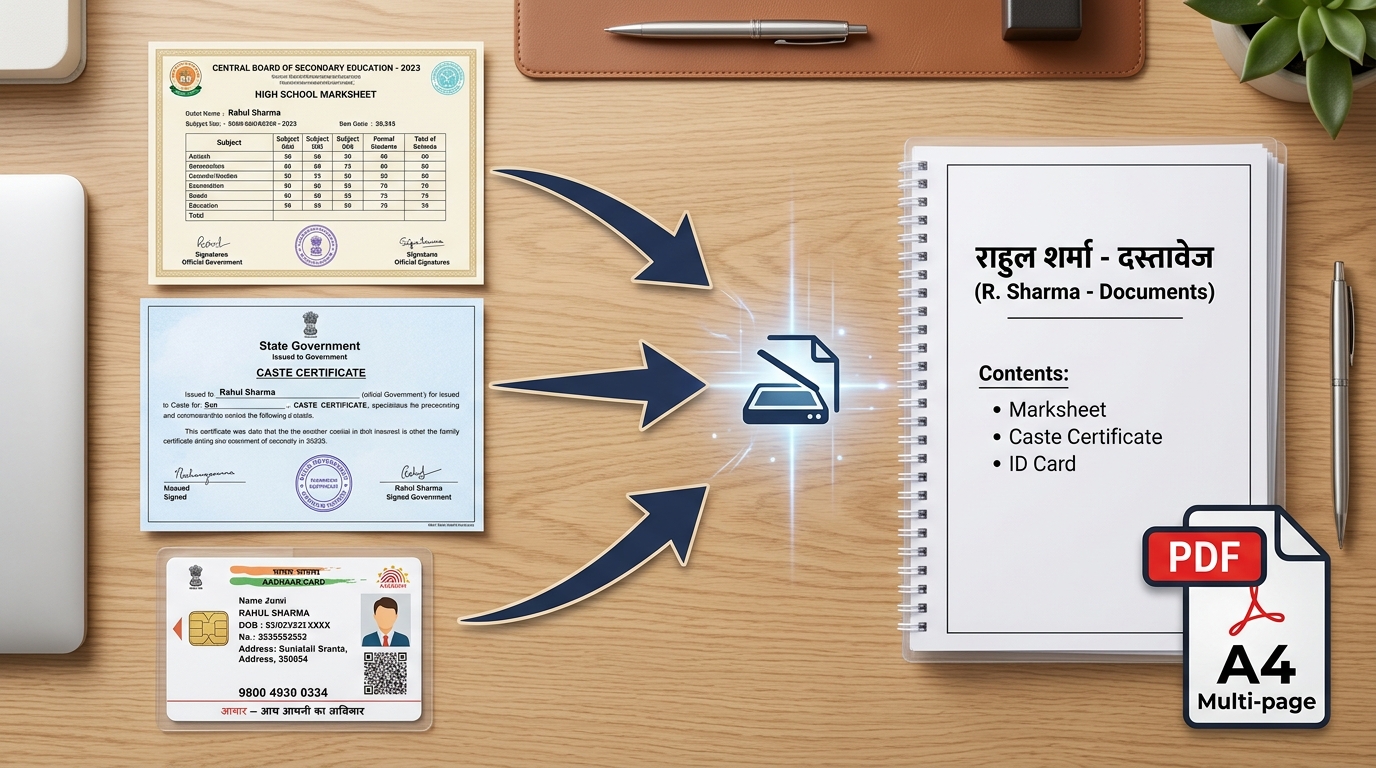
Most recruitment, college admission, and scholarship portals require applicants to submit all educational marksheets and identity proofs bundled into a single PDF document under 200 KB or 500 KB. Below is a visual demonstration of how our tool converts separate document photos into a clean, uniform A4 multi-page PDF.

Convert Multiple Images (Marksheet, Certificate, ID) to Single A4 Multi-Page PDF
Page Standardization A4 Standard (210 × 297 mm) Portrait & Landscape
File Size Optimization 100 KB, 200 KB, 500 KB Target KB Limit Lock
Page Reordering Drag & Drop Sequence Individual 90° Rotation

⚡ 4 Simple Steps to Combine Images into a Clean A4 PDF:

1

Select Document Photos

Choose multiple JPG, PNG, or WebP files from your phone or PC. You can also drag and drop images directly into the dropzone.

2

Reorder & Rotate Pages

Arrange documents in chronological order (e.g. 10th marksheet first, followed by 12th and degree) and rotate sideways photos.

3

Set Margins & Target KB

Choose A4 page size with a 5mm margin. Check 'Limit PDF File Size' and set 200 KB or 500 KB to meet portal upload requirements.

4

Convert & Download PDF

Click 'Convert & Download PDF' to generate a crystal-clear, print-ready document in your browser within seconds.

Official Portal PDF Upload Criteria & Standards:

Portal / Service Name Recommended Page Setup Max Allowed File Size Document Type Key Guidelines
SSC (CGL, CHSL, GD, MTS) A4 Portrait (5 mm Margin) Max 500 KB Educational Marksheets & Certificates Roll numbers and university seal must be legible
e-Mitra & SSO Rajasthan A4 Portrait (No Extra Margin) Max 200 KB Domicile, Caste & Income Certificates Officer signature & QR code must be sharp
Jan Aadhaar Portal A4 Portrait (Small Margin) Max 100 KB Bank Passbook, Electricity Bill, Ration Card Account number & IFSC code must be clearly readable
State & National Scholarships A4 Portrait (Auto Fit) Max 1 MB Fee Receipts, Bonafide & Marksheets Multi-page bundling of all semesters required

Frequently Asked Questions (FAQs) — Image to PDF Converter

1. Can I combine marksheet, caste certificate, and ID card into a single PDF?

Yes. Click 'Select Images' or drag and drop all your photos at once. You can drag to reorder pages and convert them into a single clean A4 multi-page PDF document in 1 click.

2. How do I restrict the PDF file size to 200KB or 500KB for government forms?

Check 'Limit PDF File Size (Target KB)' in the settings panel and choose 100 KB, 200 KB, or 500 KB. The tool automatically compresses the embedded images to ensure the final PDF stays strictly under your chosen size limit.

3. How to prevent document edges from cutting off on A4 pages?

Select 'A4 (210 × 297 mm)' as the page size and choose 'Small Margin (5 mm)' or 'Fit to Image'. This ensures your entire document text, seal, and signatures fit cleanly inside printable margins.

4. Are my confidential documents uploaded to any remote server?

No. eMitraTool works 100% locally in your web browser. None of your photos, marksheets, or certificates are sent to any remote server, guaranteeing complete privacy and data security.