मोड (Mode):
फिट साइज़ (Fit Ratio):
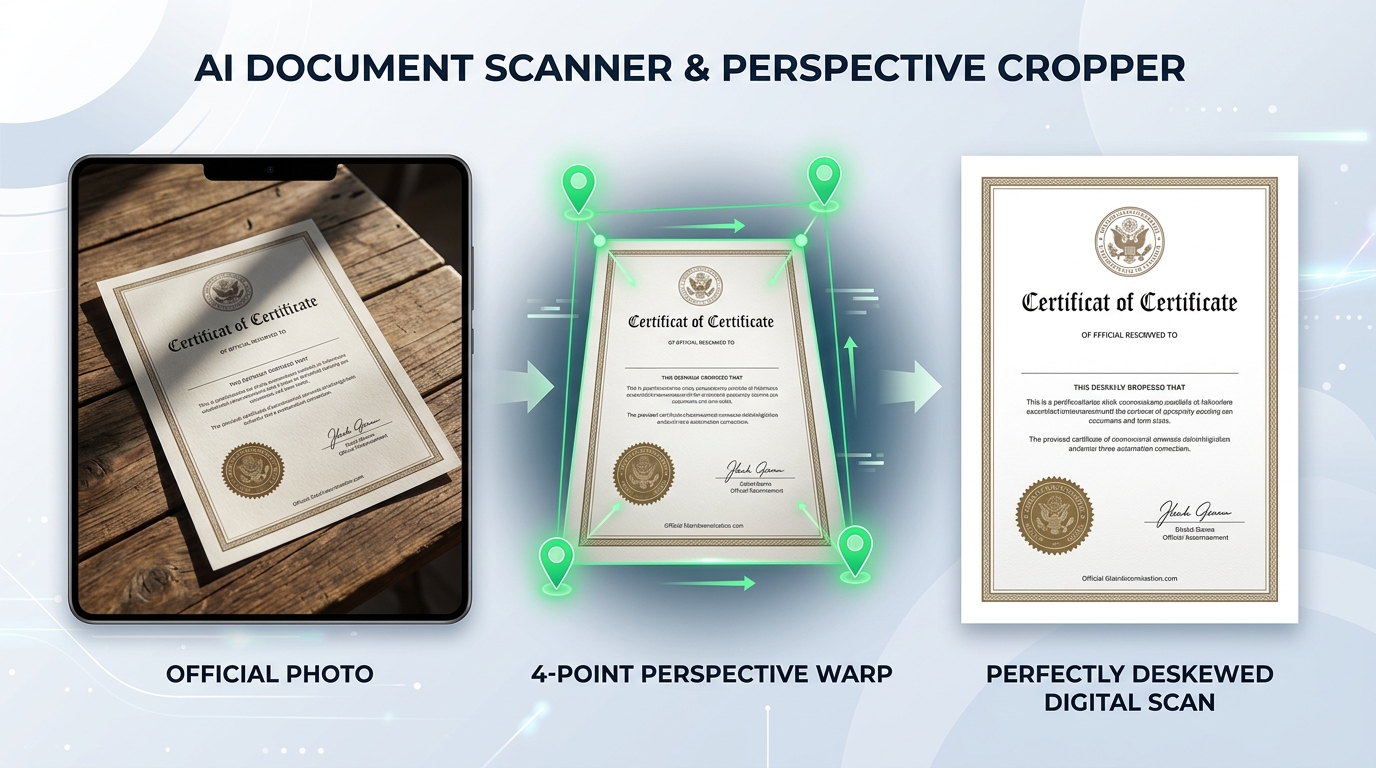
Transform angled, wrinkled smartphone camera photos of certificates, marksheets, Aadhaar cards, and application forms into flat, crystal-clear A4 PDFs and JPGs using client-side AI perspective warp and shadow removal filters.
Click + Add Photos/PDF or drag photos into the left sidebar. Supports JPG, PNG, WEBP, and multi-page PDF files.
Click ⚡ Auto Detect Border to automatically snap 4 corner handles to the edges of the paper, or adjust corner handles manually.
Choose your target ratio (A4 Standard, ID Card, Legal) and color filter: Magic Color, Clean B&W, or Remove Shadow.
Click Crop & Fit Size to straighten the document. Select target KB size (50 KB, 100 KB, 200 KB) and download the optimized JPG.
Official proportions and enhancement filters recommended for Indian government portals, e-Mitra kiosks, and university admissions.
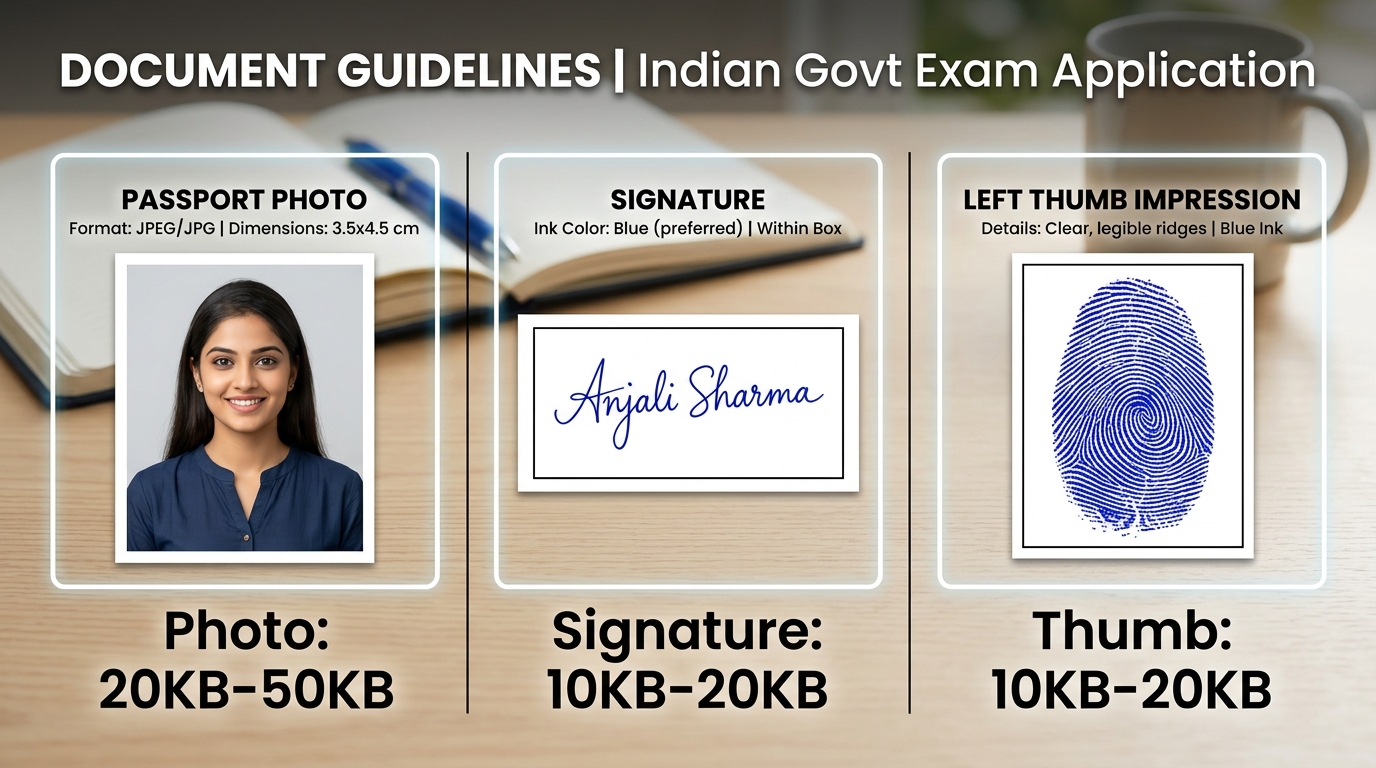
| Fit Ratio Mode | Aspect Ratio | Ideal Documents | Recommended Filter | Target KB Range |
|---|---|---|---|---|
| 📄 A4 Standard | 1 : 1.414 (210 × 297 mm) | Marksheets, Degree Certificates, Income Proof | Magic Color / Sharp Text | 100 KB – 200 KB |
| 🪪 ID Card (CR80) | 85.6 × 54 mm (1.585 : 1) | Aadhaar, PAN Card, Voter ID, Driving Licence | Magic Color | 50 KB – 100 KB |
| 📸 Passport Photo | 3.5 × 4.5 cm (1 : 1.286) | Exam Admit Cards, DOPO Photos | Original / Lighten | 20 KB – 50 KB |
| 📜 Legal Paper | 216 × 356 mm (1 : 1.647) | Stamp Papers, Court Affidavits, Agreements | Clean B&W | 100 KB – 300 KB |
| ✨ Natural Fit | Original Document Ratio | Non-standard Receipts, Bill Vouchers, Challans | Magic Color | Original / 100 KB |
The tool uses client-side OpenCV WebAssembly to analyze image gradients, find high-contrast document boundaries, and snap 4 corner control handles directly to the edges of your paper document.
Yes. By dragging the 4 corner handles to the actual corners of the paper, the 4-corner perspective warp algorithm mathematically un-skews and deskews the document into a perfectly flat, rectangular A4 or ID card format.
The 'Magic Color' filter enhances text clarity while preserving original stamp and signature colors. For official Xerox submissions, the 'Clean B&W' filter converts the page to high-contrast monochrome with pure white backgrounds.
Under the Export Settings panel, select your target size (such as 50 KB for DOPO photo or 100 KB for marksheets). The smart compression engine optimizes JPEG quantization matrices to hit your target size without degrading legibility.
No. All border detection, perspective transformation, filtering, and export are performed 100% locally inside your web browser. None of your files or scans ever touch external cloud servers.